
Commands and terminal
Both require a signing key in your browser (Settings → Signing keys) that the target machine trusts, and a permission level that allows them.
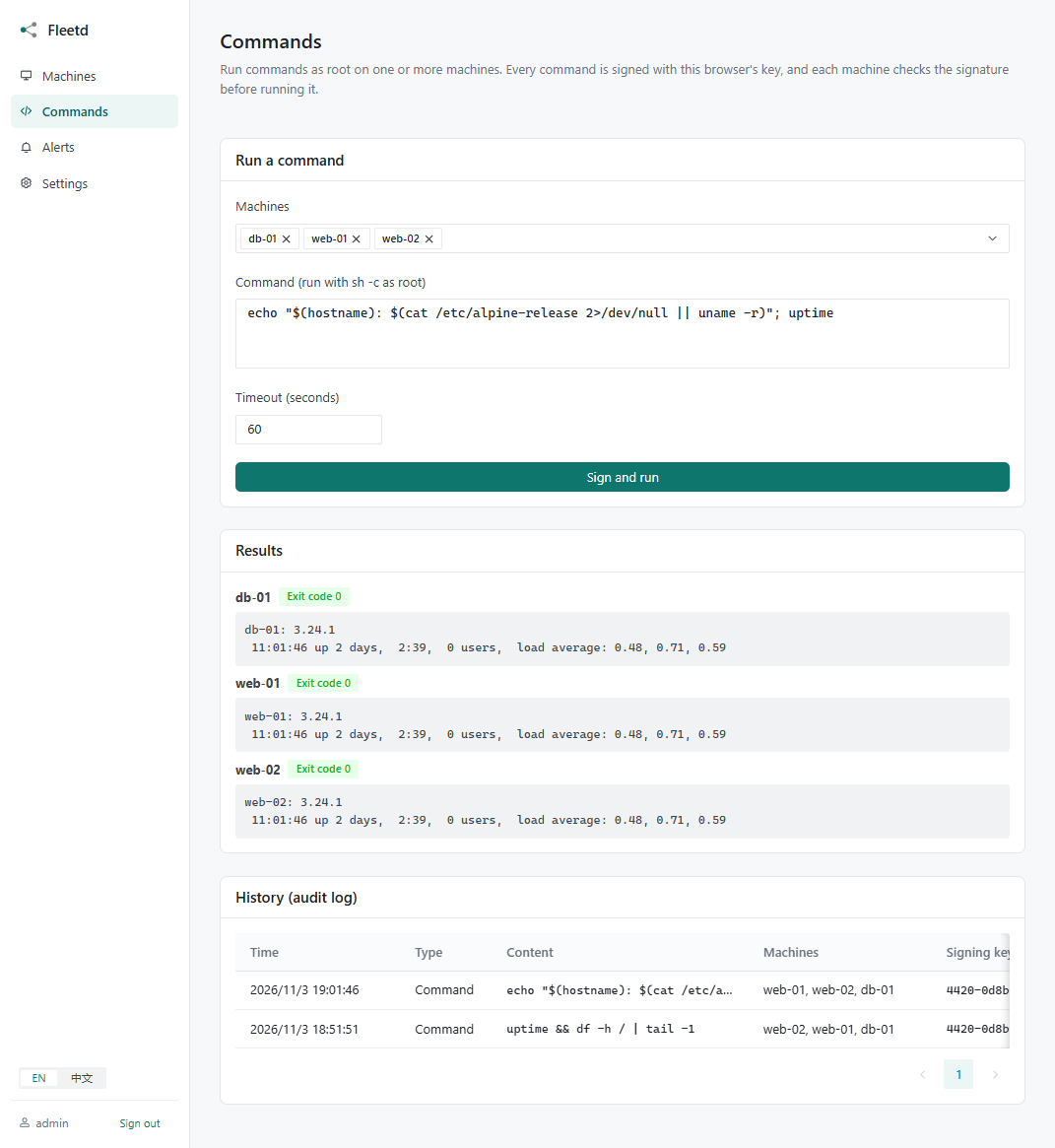
Run a command
- Open Commands, or Run a command on a machine's page.
- Pick one or more online machines and type the command. It runs as root with
sh -c, so pipes and&&work. - Click Sign and run and check the confirmation. Your browser signs the command; each machine verifies the signature, the target list, the time window and its own permission level before running it.
Output from every machine streams in as it runs. Each result shows the exit code, or why the command did not run (for example rejected: commands are disabled on this machine (permission: monitor)).
Limits on each machine:
| Limit | Value |
|---|---|
| Timeout | 60 s by default, up to 1 hour |
| Output kept | 1 MB, the rest is cut off |
| Commands at once | 4 |
| Signature valid for | 5 minutes, each command runs only once |
Long-running jobs
A command stops if the agent loses its connection to the server. For upgrades, restarts of networking and other jobs that may break the connection, start them in the background and check the result later:
nohup sh -c 'apt-get update && apt-get -y upgrade' > /tmp/upgrade.log 2>&1 &
or systemd-run --unit=upgrade … on systemd hosts.
Web terminal
Click Terminal on a machine's page. It opens a root login shell (bash -l, or sh if bash is missing) in a real terminal, so vim, top and htop work. The window can be resized; closing the page ends the session. Each machine allows 4 terminals at once.
The terminal needs the machine's permission to be full.
Tips
Only opening a terminal is signed, not each keystroke. Close terminals you no longer use.
Audit log
Commands → History lists every command and terminal session: when, which machines, which signing key, and the result. Click a result to see the output again.
Each agent also writes every command it runs to its own log, which a compromised server cannot erase:
journalctl -u fleetd-agent | grep exec       # systemd
logread -e fleetd                            # OpenWrt